iPhone · Free while in beta
Every plan,
one place.
The group chat decides where you're going. Friendscape holds everything that comes next: the dates, the itinerary, who's actually in, what it cost, and the photos afterwards.
Why we built it
A trip with five friends currently lives in six places.
Today
- The dates are 400 messages up the group chat
- The flight time is a screenshot on one person's phone
- The itinerary is a note only its author can read
- Who is actually coming is a guess
- Money is six separate "I'll get you back"s
- The photos never end up anywhere
With Friendscape
- One plan with real dates, or a poll if you can't agree yet
- An itinerary in the destination's timezone, not your phone's
- Everyone sees the same thing, and gets told when it changes
- A guest list you can actually count
- Costs split in any currency, then settled up
- Photos, playlists and a recap that stays with the trip
What you get
The boring parts, handled.
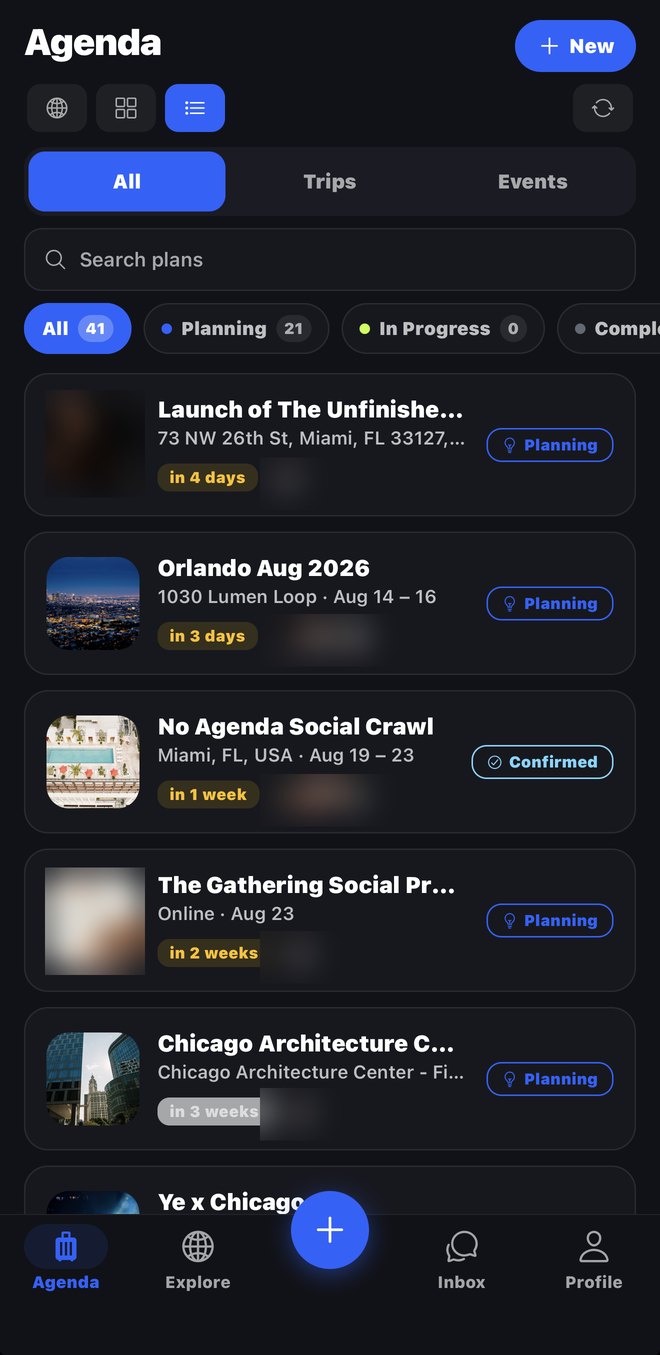
One agenda
Every trip, event and night out you're part of, in order, with the next thing first. Sync your calendar and we'll spot the flights and hotels you already booked.
An itinerary that reads right
Times show in the destination's timezone, so a 6am flight is a 6am flight. Add a place and everyone gets it at once.
Money, settled
Log what things cost in whatever currency you paid in, choose who it's split between, and see exactly who owes who at the end.
Screenshot to plan
Share a flyer or a listing into Friendscape and it comes back as a plan with the date, place and cover already filled in.
Real things to do
Concerts, games and tours near your destination, with the option to put one straight on the itinerary.
Where your friends are going
See your friends' upcoming trips on a globe, ask to join, or copy one you missed and run it yourself.
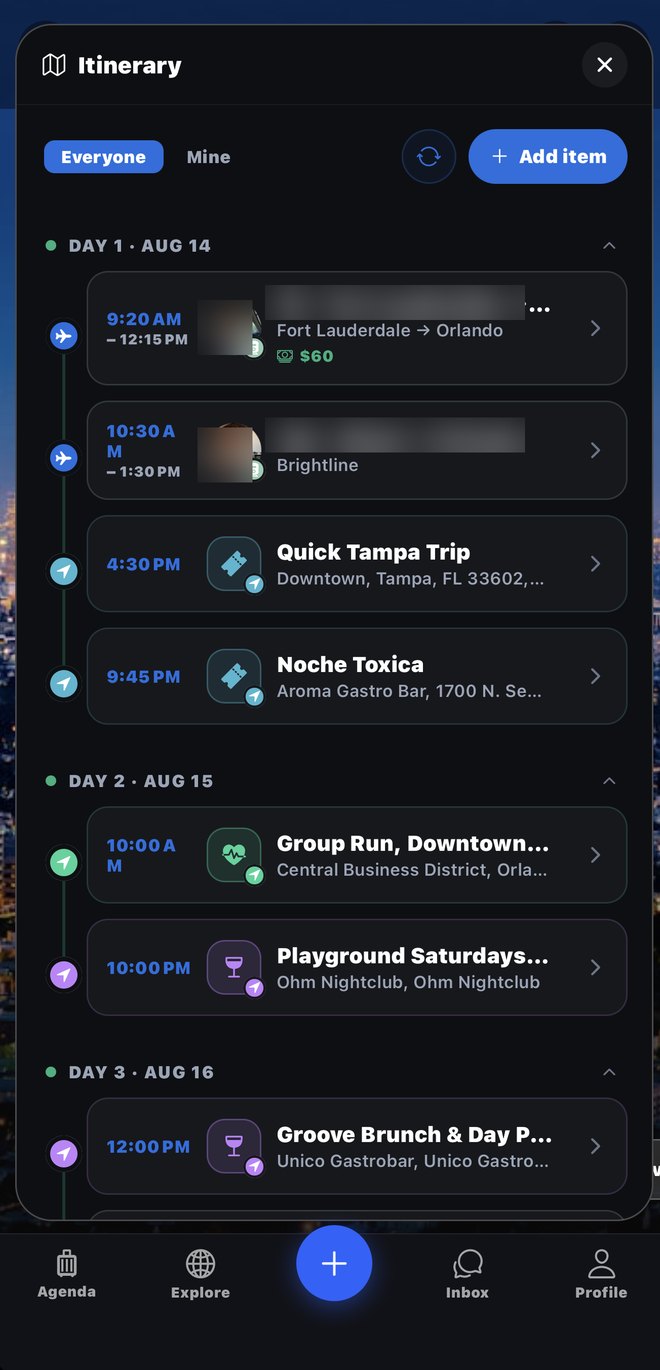
The itinerary, by day, in the destination's timezone.
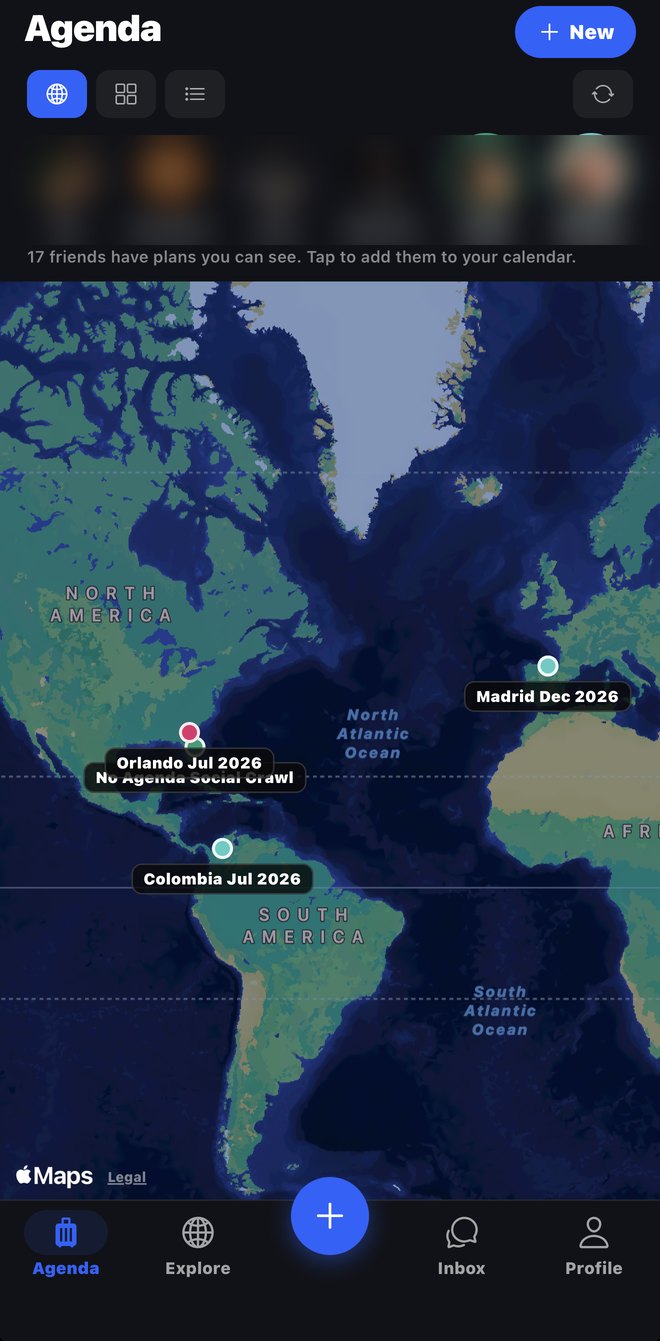
Where your friends are going, on one map.
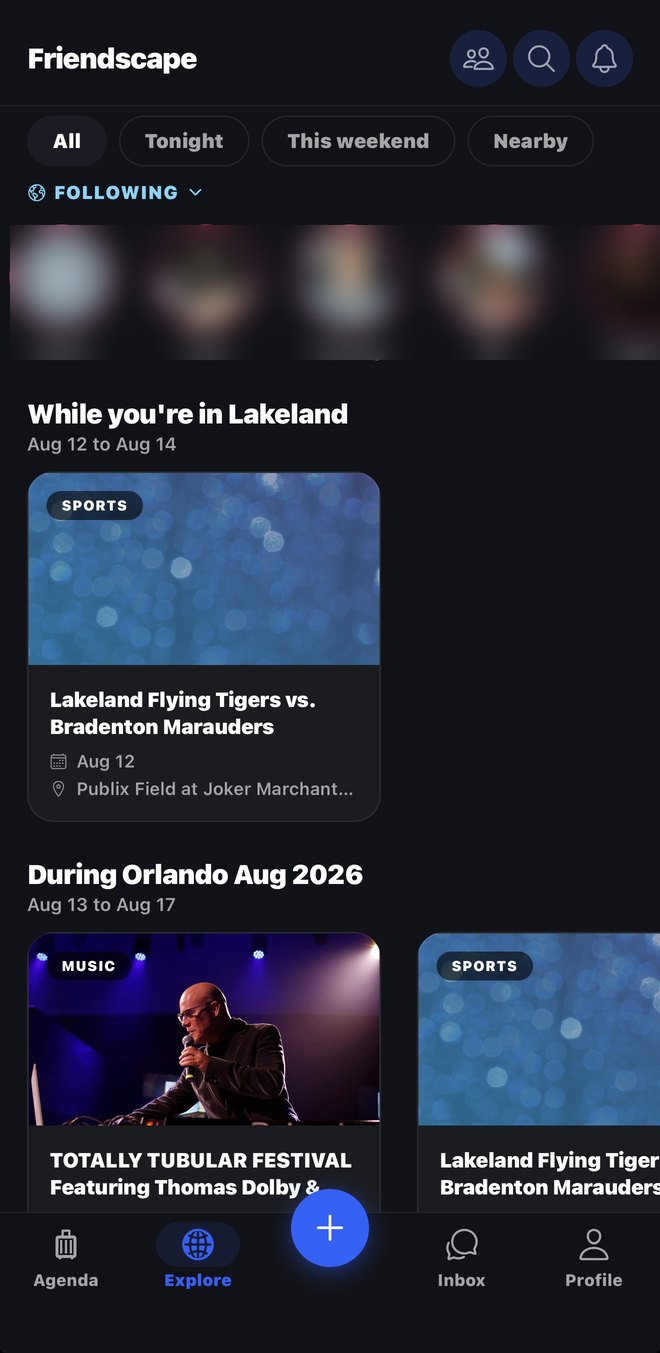
Real events, for the trip you already have.
How it works
Here's how a plan actually happens.
- 1Somebody says "we should go"
Start a plan in one screen. If you don't know where or when yet, say so and put it to a vote.
- 2Send one link
Your crew taps it and they're in, whether or not they have the app yet. No group admin, no forwarding.
- 3It fills itself in
Flights, stays and bookings land on the itinerary. Anyone can add a dinner or a beach day; everyone sees it immediately.
- 4You go
Chat, map, playlist and everything you booked are in the same place as the plan, offline-tolerant and in the right timezone.
- 5You settle up and keep it
Split what it cost, see who owes who, then keep the photos, the recap and a guide a friend can copy for their own trip.
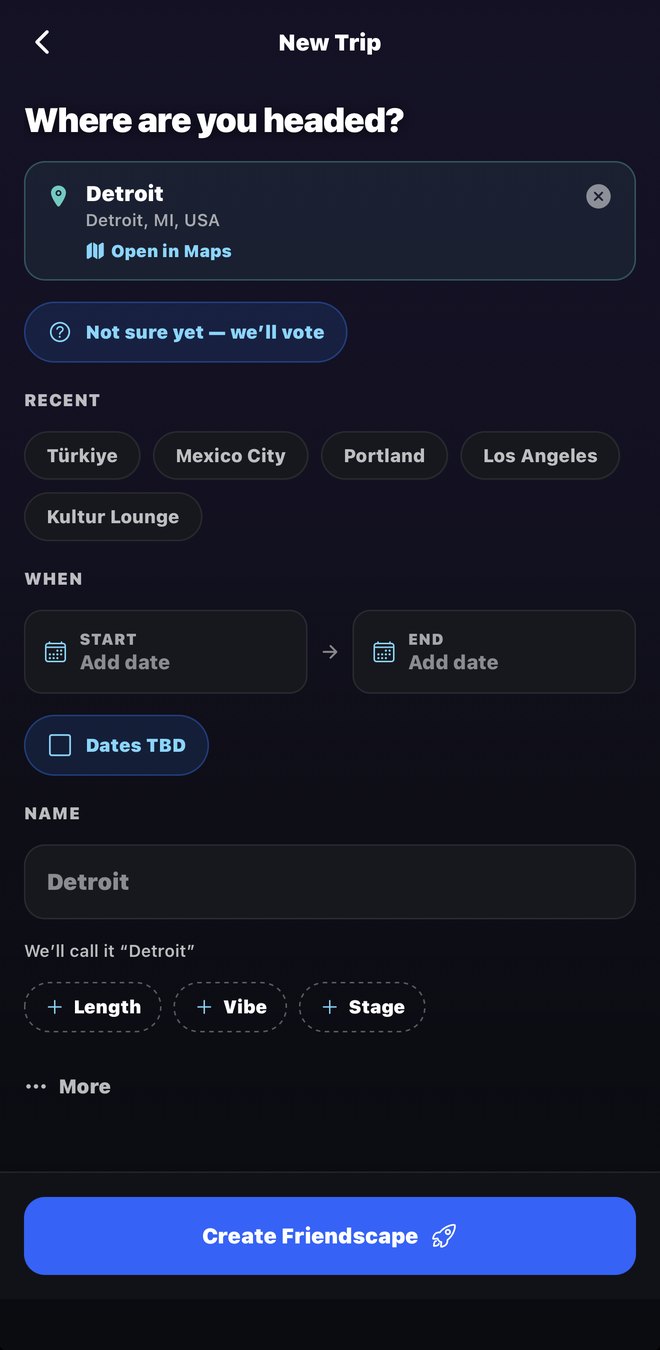
Making a plan is one screen. Optional things stay out of the way until you want them.
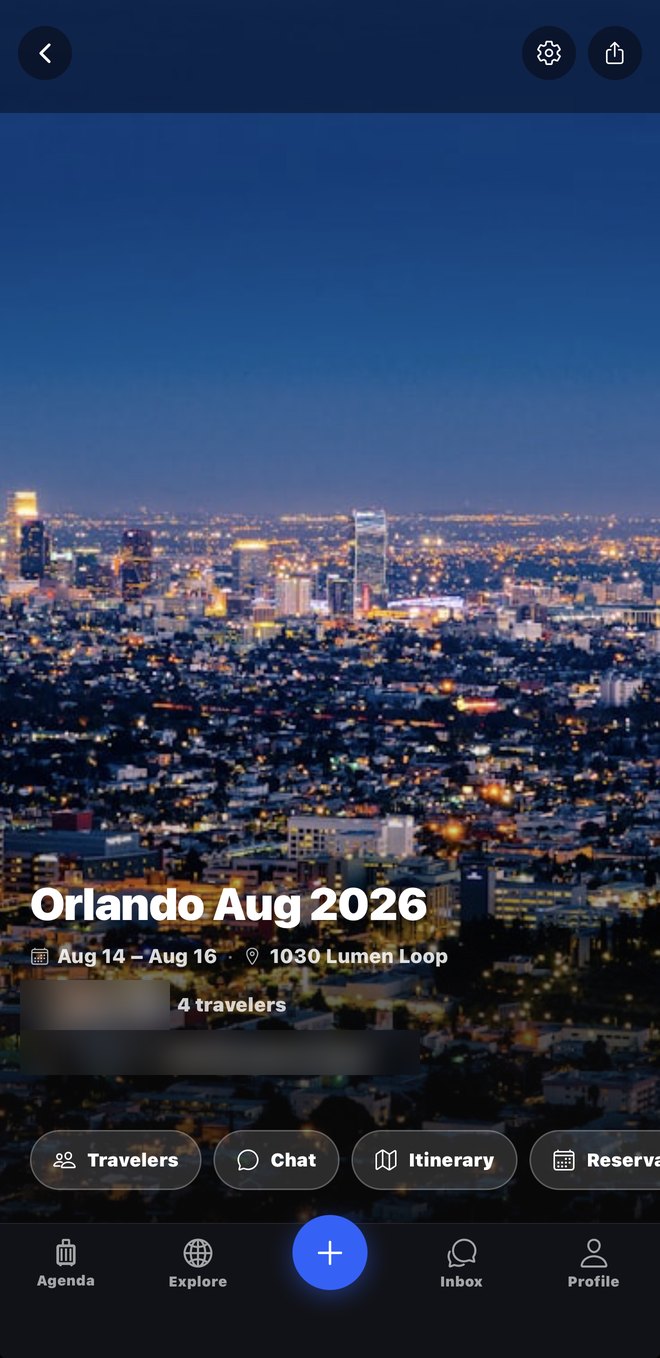
Then everything about the trip lives behind it.
Who it's for
Find the one that sounds like you.
A group trip
Six people, four opinions and one weekend. Poll the dates, build the itinerary together, split the villa, and stop being the only person who knows what time anything is.
Tonight, not someday
A dinner, a set, a birthday. Make a Move in seconds, send it round, and see who's in without three rounds of "who else is coming".
Organisers and teams
Run an account for your club, team or event brand. Post your schedule once, give every attendee a hub with the details, and send an announcement that reaches their lock screen. Rosters use jersey numbers, never children's names.
Creators
Publish a trip you've already run as a guide other people can copy, and keep your links on a profile that travels with it.
For businesses
Reach people while they're still deciding.
Friendscape users are mid-plan: dates set, itinerary half empty, actively looking for what to do. Studios, guides, venues and tour operators can put a real offer in front of them at the moment it's useful.
Our first partner is Wellness on the Fly.
Safety and privacy
You decide who sees a plan.
Per-plan visibility
Every plan is set to friends, close friends only, or nobody but the people you invite. You can change it whenever, and each member can keep their own attendance off their feed.
Report and block, everywhere
Any post, comment or message can be reported, and blocking someone removes them from what you see. We read every report.
No selling your data
We don't sell personal information and we don't run third party ad tracking. What we collect and why is written out in plain English.
Questions people ask
What does it cost?
Nothing while we're in beta. If we ever charge for something we'll say so clearly and well in advance, and the core of planning a trip with your friends will stay free.
Is it on the App Store?
Not yet. Friendscape is in an invite-friendly TestFlight beta for iPhone while we finish. Tap "Get the beta" and you'll be in within a couple of minutes. Android is not available yet.
Do all my friends need the app?
No. You can send a plan to anyone as a normal link and they'll see the whole thing in a browser, including the dates, the location and who's going. They only need the app to add things themselves.
Can I use it for one night out rather than a trip?
Yes, and a lot of people do. A Move is the lightweight version: a title, a time, a place, and a way for people to say they're in.
How does splitting money work?
Log a cost in whatever currency you paid in and say who it was for. Friendscape converts using the rate on the day you logged it, keeps that rate so the number doesn't drift, and tells you who owes who. We never touch or move any money.
What do you do with my data?
We store what the app needs to work: your account, your plans, and what you post in them. We don't sell it and we don't run third party ad tracking. The privacy policy lists every category and why we hold it.
How do I delete my account?
In the app, open Settings and tap Delete account. Or email support@friendscape.app from your account's address and we'll delete your account and personal data within 30 days. See Help for what happens to plans you shared with other people.
Your next trip is already in a group chat somewhere.
Move it somewhere it can actually happen.
New to TestFlight? The button installs TestFlight first. Once it finishes, come back and tap it again to get Friendscape. Opening TestFlight on its own will ask for a code you don't need.
Something broken, or an idea? Email support@friendscape.app. A real person reads it, usually the same day.